
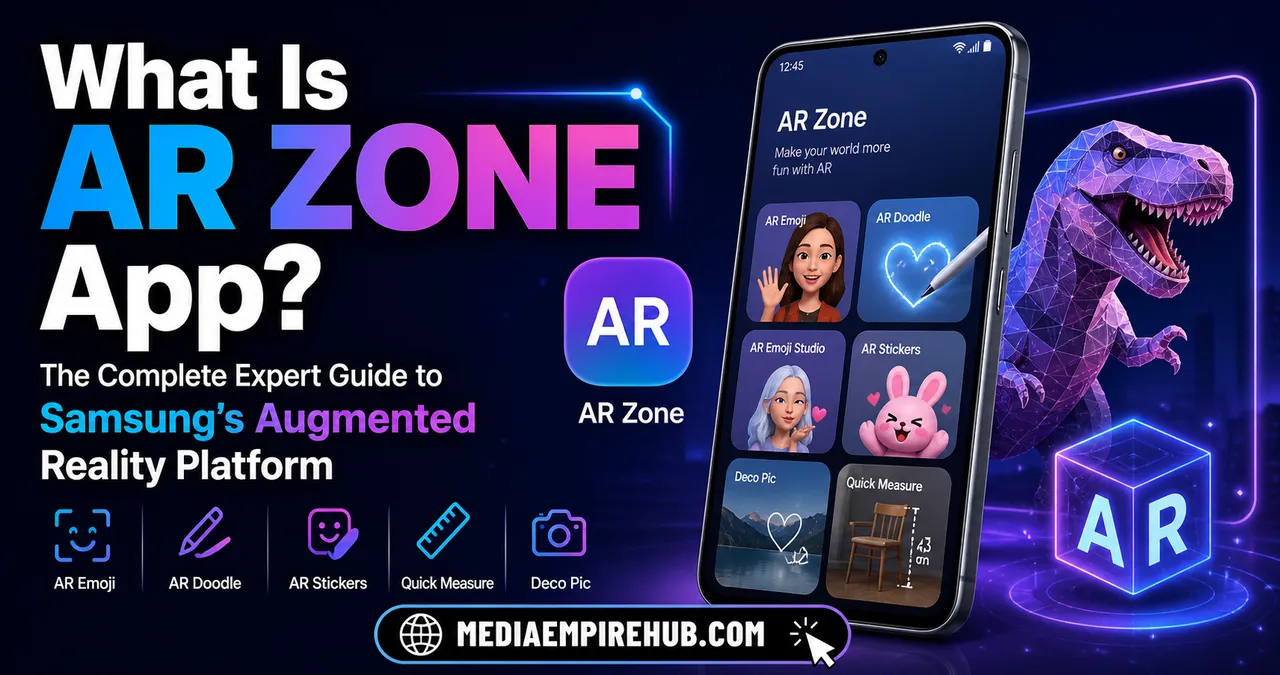
If you’ve recently explored your Samsung smartphone and stumbled across AR Zone, you’re not alone in wondering: what is AR Zone app, why is it on your device, and whether it actually serves a useful purpose.
For many users, AR Zone appears as one of those pre-installed apps that seems mysterious at first glance. Some assume it’s unnecessary bloatware, while others discover it unlocks powerful augmented reality capabilities hidden within their phone. The reality is far more interesting.
AR Zone is Samsung’s dedicated augmented reality ecosystem, designed to let users interact with digital objects in real-world spaces through their camera. From creating AR emojis and immersive stickers to measuring spaces and enhancing social interactions, it represents Samsung’s strategic move into consumer-friendly augmented reality.
As augmented reality continues reshaping how we shop, communicate, learn, and entertain ourselves, understanding apps like AR Zone becomes increasingly relevant. Whether you’re deciding if it’s safe, useful, or removable, this comprehensive guide breaks down everything you need to know.
By the end of this article, you’ll have a complete understanding of what is AR Zone app, how it works, its practical applications, security implications, and whether it deserves a place on your smartphone.
Understanding What Is AR Zone App and Why Samsung Created It
At its core, AR Zone is a proprietary Samsung application that centralizes augmented reality features into one accessible platform. AR, or augmented reality, overlays digital elements—such as 3D objects, animations, or virtual effects—onto the real world using your smartphone’s camera.
Samsung developed AR Zone primarily for Galaxy devices to enhance user experiences through entertainment, productivity, and social creativity. Rather than requiring multiple third-party apps for AR experiences, Samsung integrated these tools into one ecosystem. This includes AR Emoji Camera, AR Doodle, Deco Pic, Quick Measure, and other camera-based experiences.
Think of AR Zone as Samsung’s virtual playground—similar to how Apple integrates ARKit into iOS, but packaged as a user-facing feature hub. Instead of being hidden in developer frameworks, Samsung made AR tools visible and interactive for everyday consumers.
The app became more prominent as smartphone hardware advanced, particularly with depth sensors, LiDAR-like technologies, and AI-powered camera systems. Samsung recognized that augmented reality wasn’t just futuristic hype—it was becoming practical for real users.
By consolidating AR experiences into one app, Samsung positioned itself competitively in the mobile innovation race while offering users engaging tools without requiring technical expertise.
In simpler terms, if you’ve asked what is AR Zone app, it’s Samsung’s all-in-one portal for immersive digital interactions using your phone camera.
Key Features Inside AR Zone App
One reason AR Zone stands out is its broad feature set. Rather than functioning as a single-purpose tool, it acts as a collection of AR-powered experiences.
Here are the major features commonly included:
| Feature | Primary Purpose | Practical Use |
|---|---|---|
| AR Emoji Camera | Create animated avatars | Personalized selfies, social sharing |
| AR Doodle | Draw virtual objects in real-time | Creative videos and visual effects |
| Deco Pic | Add stickers and masks | Fun social media content |
| Quick Measure | Measure real-world objects | Home improvement, furniture sizing |
| Picture Link | Attach digital notes to images | Enhanced photo interaction |
| Home Decor AR | Visualize furniture placements | Interior design planning |
AR Emoji Camera became particularly popular because it allows users to create digital avatars based on facial recognition. Similar to Bitmoji or Apple’s Memoji, this feature personalizes communication.
AR Doodle extends creativity by letting users draw in 3D space, with digital sketches remaining anchored as the camera moves. This creates visually impressive effects for videos and social content.
Quick Measure arguably offers one of the most practical functions. By using the camera and sensors, it estimates dimensions of physical spaces or objects, making it useful beyond entertainment.
Samsung intentionally balanced utility and creativity, ensuring AR Zone appeals to both casual users and practical professionals.
How Does AR Zone App Work?
To understand what is AR Zone app, it helps to explore the technology behind it.
AR Zone relies on several smartphone systems working together:
- Camera sensors
- Motion tracking
- Depth mapping
- Artificial intelligence
- Facial recognition
- Object detection
When you open AR Zone, your phone camera scans the environment in real time. The app then processes surfaces, dimensions, facial landmarks, or movement patterns to accurately overlay digital assets.
For example, when using AR Doodle, the software tracks camera movement so virtual drawings stay fixed relative to physical space. When using AR Emoji, facial mapping tracks expressions and movements.
This process happens within milliseconds, creating seamless augmented experiences.
Samsung’s integration with Galaxy hardware gives AR Zone an advantage over many third-party apps because it can better optimize performance based on specific camera systems.
From a technical standpoint, AR Zone transforms your smartphone into a mixed-reality device without requiring specialized glasses or external hardware.
That’s why understanding what is AR Zone app means recognizing it as both software and an extension of modern smartphone sensor capabilities.
Is AR Zone App Safe to Use?
A major concern users often have is security. Pre-installed apps sometimes raise questions about privacy, permissions, and data collection.
In general, AR Zone is considered safe because:
- It is developed by Samsung
- It comes pre-installed on Galaxy devices
- It operates within Samsung’s software ecosystem
- It receives official updates
- It follows Android app permission structures
However, AR Zone does request access to:
- Camera
- Storage
- Microphone
- Motion sensors
These permissions are necessary for augmented reality functionality but can feel intrusive if users don’t understand their purpose.
Samsung states that user data handling aligns with its privacy policies, though users should always review permissions manually. If you don’t actively use AR features, limiting certain permissions can reduce unnecessary access.
Cybersecurity experts generally view manufacturer-installed AR applications as lower-risk than unknown third-party AR apps.
“Built-in augmented reality platforms from trusted manufacturers typically present fewer security concerns than independently developed AR applications due to ecosystem-level oversight.” — Mobile Security Analyst Perspective
That said, privacy-conscious users should still monitor updates, disable unused features, and stay informed.
So if you’re asking what is AR Zone app from a security standpoint, it is largely safe, though permission awareness remains essential.
Can You Disable or Remove AR Zone App?
This is one of the most common practical questions.
Because AR Zone is often categorized as a system app on Samsung devices, full uninstallation may not always be straightforward without advanced methods. However, users usually have several options:
- Disable the app
- Force stop background processes
- Remove updates
- Hide from app drawer
- Use ADB tools for advanced removal
For most users, disabling AR Zone is sufficient. This prevents it from consuming resources while keeping system integrity intact.
Removing system apps entirely can sometimes affect connected Samsung camera features, so caution is advised.
If your device allows direct uninstalling through settings, the process is simple. Otherwise:
- Open Settings
- Go to Apps
- Search AR Zone
- Tap Disable (if available)
Advanced users can use Android Debug Bridge (ADB), but this approach carries more technical risk.
In short, whether you should remove AR Zone depends on personal usage. If you enjoy creative features, it adds value. If not, disabling may streamline your experience.
Benefits of AR Zone for Everyday Users
Many users dismiss AR apps as gimmicks, but AR Zone offers several real advantages.
First, it democratizes augmented reality. Users don’t need technical skills to access immersive experiences.
Second, it supports creativity. Social content creators, influencers, and casual users can generate engaging visuals directly from their phone.
Third, practical tools like Quick Measure can save time in:
- Interior decorating
- DIY projects
- Shopping decisions
- Space planning
Imagine buying a desk online and quickly estimating whether it fits your room using your smartphone camera. That’s real utility.
Fourth, AR Zone aligns with evolving digital communication trends. Personalized avatars and interactive visuals increasingly define online identity.
Fifth, Samsung’s continued AR investments suggest future updates could expand functionality beyond novelty into professional workflows.
For educators, marketers, and small business owners, AR can also become a compelling customer engagement tool.
Ultimately, what is AR Zone app isn’t just a question about software—it’s about how mainstream users can access emerging augmented reality technologies.
Common Misconceptions About AR Zone App
Misunderstandings around AR Zone are widespread.
Misconception: AR Zone is malware or spyware
This is false. AR Zone is an official Samsung application.
Misconception: It drains battery excessively all the time
AR features can consume battery during active use, but the app itself does not continuously drain power unless frequently engaged.
Misconception: It’s useless bloatware
While some users may not need it, others find genuine value in measurement tools, creative features, and camera enhancements.
Misconception: AR Zone is mandatory for all Samsung functions
Not entirely. Many users can disable it without major impact, though some camera-related experiences may be affected.
Misconception: AR is only for gaming
Modern AR extends into commerce, healthcare, design, education, and communication.
These misconceptions often stem from limited awareness of augmented reality’s broader applications.
AR Zone App vs Other Augmented Reality Platforms
To better understand what is AR Zone app, comparing it with alternatives is helpful.
| Platform | Device Ecosystem | Strengths | Weaknesses |
|---|---|---|---|
| Samsung AR Zone | Samsung Galaxy | Integrated, easy to use | Limited cross-platform support |
| Apple ARKit | iOS | Advanced developer tools | More developer-centric |
| Snapchat AR | Cross-platform | Social filters | Less practical utility |
| Google ARCore | Android | Broad compatibility | Less centralized consumer experience |
| Meta Spark AR | Social media | Marketing potential | Platform-dependent |
Samsung’s AR Zone excels in convenience for Galaxy users. It may not match developer flexibility of ARKit or ARCore, but it succeeds as a consumer product.
This distinction matters because Samsung designed AR Zone for accessibility rather than software development.
Real-World Applications of AR Zone Technology
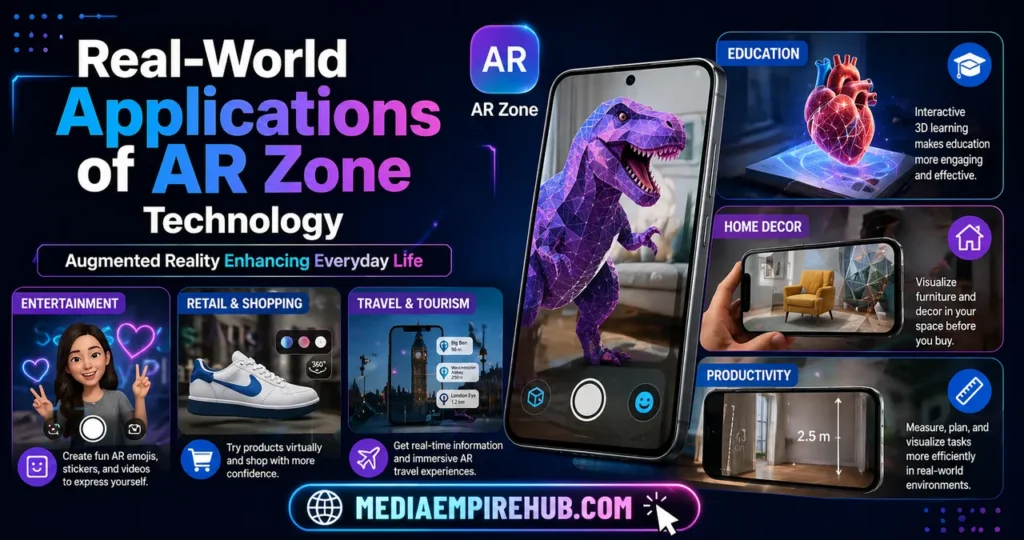
While many users primarily encounter AR Zone through selfies and emojis, the underlying technology reflects broader industry trends.
Augmented reality is transforming:
- Retail product previews
- Virtual home staging
- Medical training
- Remote collaboration
- Interactive education
- Tourism experiences
AR Zone serves as an entry-level exposure to these possibilities.
For example, a student experimenting with AR Doodle today may become more comfortable with enterprise AR tools tomorrow.
Similarly, someone using Quick Measure may begin expecting more advanced consumer AR solutions from future devices.
Samsung’s app functions as both practical software and behavioral conditioning for broader AR adoption.
In many ways, AR Zone helps normalize augmented reality for everyday consumers.
Performance Impact on Samsung Devices
One concern users frequently raise involves device speed and battery life.
Because AR Zone uses:
- Camera processing
- Real-time rendering
- Sensor fusion
- AI computations
…it can be resource-intensive during active sessions.
However, Samsung generally optimizes AR Zone well for supported Galaxy devices.
Potential impacts include:
- Faster battery drain during active AR sessions
- Increased RAM usage when running
- Temporary device heating
- Storage usage for AR content
For flagship devices, these impacts are usually manageable. Older or lower-tier Galaxy phones may experience occasional lag.
Users who rarely use AR Zone can minimize performance concerns by disabling background permissions.
Overall, AR Zone is not typically a major performance burden unless heavily used.
How AR Zone Reflects Samsung’s Future Strategy
Samsung’s investment in AR Zone reveals broader ambitions beyond entertainment.
The company is actively positioning itself within:
- Augmented reality
- Mixed reality
- Wearables
- Spatial computing
- AI-integrated ecosystems
AR Zone may currently appear consumer-focused, but it serves as foundational infrastructure.
As AR glasses, smart home integrations, and enterprise XR tools evolve, Samsung can leverage existing user familiarity.
This mirrors how early smartphone camera filters evolved into sophisticated AI photography ecosystems.
AR Zone represents Samsung’s strategic foothold in a future where digital and physical experiences increasingly merge.
For users asking what is AR Zone app, the bigger answer may be that it’s an early glimpse into spatial computing’s mainstream future.
Should You Use AR Zone App?
The answer depends on your needs.
You may benefit from AR Zone if:
- You enjoy creative photography
- You create social content
- You use Samsung camera tools frequently
- You need quick measurement features
- You’re curious about AR technology
You may choose to disable it if:
- You prioritize storage space
- You rarely use camera effects
- You prefer minimal software
- You want reduced system complexity
For most users, AR Zone is harmless and occasionally useful—even if not essential.
Its true value often becomes clearer once users experiment with features rather than dismissing it outright.
Industry Trends: Why AR Apps Matter More Than Ever
The rise of AR is not accidental.
Global technology trends indicate increasing demand for immersive experiences across industries. Brands like Apple, Meta, Google, and Samsung continue investing heavily in AR ecosystems.
Consumer expectations are shifting toward:
- Virtual try-ons
- Interactive commerce
- Personalized avatars
- Spatial navigation
- Real-time digital overlays
AR Zone may seem modest compared to enterprise XR platforms, but it reflects a broader consumer transition.
Today’s AR selfie tool may evolve into tomorrow’s virtual workspace assistant.
Businesses increasingly recognize that AR drives:
- Higher engagement
- Improved conversion rates
- Enhanced customer confidence
- Reduced product return rates
Samsung’s AR Zone helps familiarize mainstream audiences with this digital transformation.
Expert Tips for Maximizing AR Zone App Features
If you decide to use AR Zone, there are ways to get more value from it.
First, regularly update your Samsung software to ensure compatibility and feature improvements.
Second, experiment beyond AR Emoji. Many users overlook Quick Measure or Deco Pic.
Third, optimize lighting conditions. AR performance improves dramatically with better visual environments.
Fourth, monitor storage if creating frequent AR media.
Fifth, review app permissions periodically.
Professional content creators can also incorporate AR Zone into:
- Instagram reels
- TikTok videos
- Product demonstrations
- Educational tutorials
The more creatively you approach AR tools, the more practical value they can offer.
Troubleshooting Common AR Zone Problems
Some users encounter issues such as:
- App crashes
- Camera glitches
- Slow performance
- Missing features
- Update failures
Common solutions include:
- Restarting device
- Clearing cache
- Updating software
- Reinstalling updates
- Checking camera permissions
In rare cases, regional restrictions or hardware limitations may affect certain functions.
Samsung support resources can help resolve persistent issues.
Understanding how to troubleshoot AR Zone ensures users maximize its potential instead of abandoning it prematurely.
Privacy Considerations in Augmented Reality Apps
As AR becomes more sophisticated, privacy concerns naturally expand.
AR apps process:
- Facial scans
- Environmental mapping
- Camera footage
- Motion data
This raises legitimate ethical questions.
While Samsung generally maintains trusted standards, users should remain proactive by:
- Reading privacy terms
- Limiting permissions
- Disabling unused features
- Updating software
As spatial computing evolves, privacy literacy will become increasingly important.
Knowing what is AR Zone app should also involve understanding the broader digital rights implications of immersive technologies.
The Evolution of AR Zone and Future Possibilities
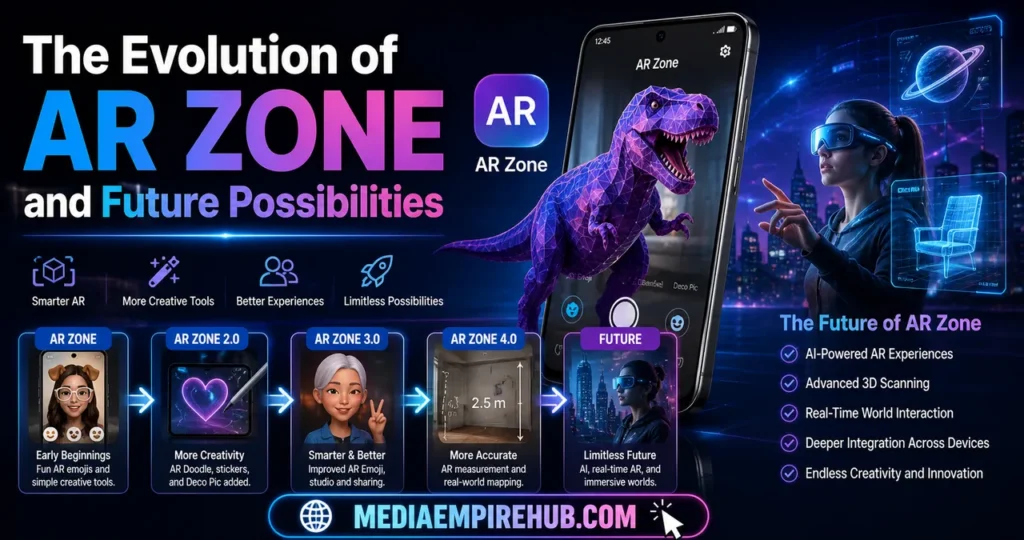
AR Zone today may seem centered around mobile creativity, but future iterations could expand significantly.
Potential developments include:
- AR shopping integrations
- Productivity overlays
- Smart glasses compatibility
- Virtual meetings
- AI-enhanced environmental interactions
Samsung’s ecosystem strategy suggests AR Zone could eventually become more deeply integrated across:
- Phones
- Tablets
- Wearables
- Home devices
- Enterprise platforms
As hardware improves, AR Zone may evolve from optional utility into essential digital infrastructure.
This trajectory makes understanding it more relevant than ever.
Frequently Asked Questions About What Is AR Zone App
What is AR Zone app on Samsung phones?
AR Zone app is Samsung’s built-in augmented reality platform that offers creative tools like AR Emoji, AR Doodle, camera effects, and practical features such as measurement tools.
Is AR Zone app safe?
Yes, AR Zone app is generally safe because it is an official Samsung application, though users should always review permissions for privacy awareness.
Can I uninstall AR Zone app?
Depending on your Samsung device, you may be able to disable AR Zone app, hide it, or partially remove it, though complete uninstallation may require advanced methods.
Does AR Zone app drain battery?
AR Zone app mainly impacts battery during active augmented reality use. When not heavily used, its battery effect is typically minimal.
Is AR Zone app necessary?
AR Zone app is not essential for all users, but it can provide creative, entertainment, and productivity benefits for those interested in augmented reality.
Why is AR Zone app pre-installed?
Samsung includes AR Zone app to enhance Galaxy devices with integrated augmented reality experiences and maintain competitiveness in mobile innovation.
Conclusion
Understanding what is AR Zone app means recognizing it as more than just another Samsung pre-installed application. It is a gateway into consumer-friendly augmented reality, blending entertainment, creativity, and practical functionality.
For some users, AR Zone may remain an occasional novelty. For others, it offers meaningful tools that enhance digital communication and real-world problem-solving. More importantly, it reflects Samsung’s broader strategy in the future of immersive technology.
As augmented reality becomes increasingly central to everyday digital life, AR Zone stands as an early example of how smartphones are evolving beyond simple communication devices into powerful mixed-reality platforms. Whether you keep it, disable it, or actively explore it, understanding its role empowers smarter technology decisions.